What a compliance program needs.
CrewSafety tracks certifications, training, incidents, medical records, drug screening, custom admin documents, and whatever else your compliance program runs on. Every training, certification, and document type is something you define in Settings, not a fixed list we built in, so it grows to fit how your crew actually works.
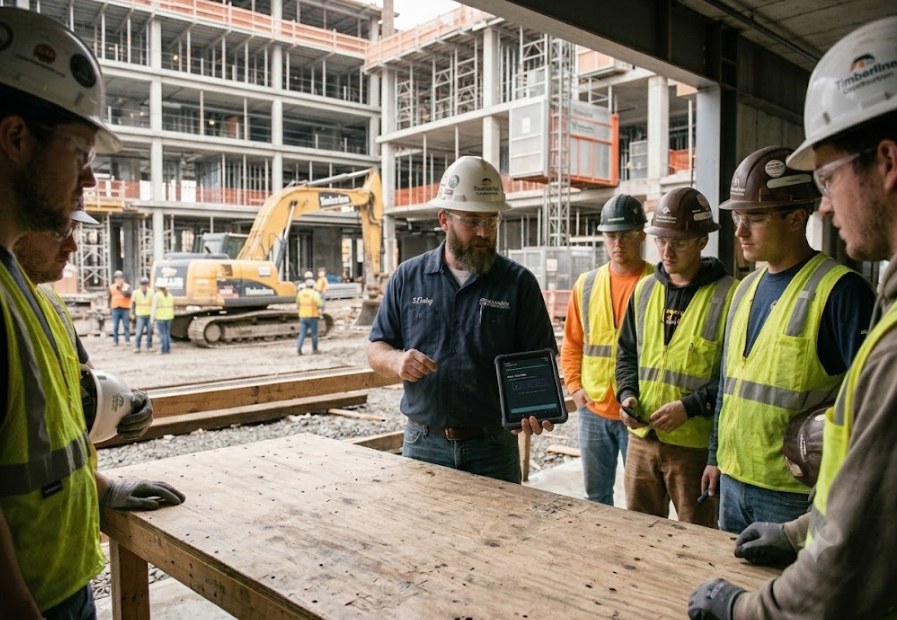
One profile per person, six tabs deep.
Every person in CrewSafety has a single profile split into six tabs: Profile, Administrative, Core Training, Qualifications, Accidents/Injuries, and Archives. A given kind of record always lives in exactly one place. The top-level record is a person, not a form.
A credential has an end date, and something has to happen before it arrives. That's the idea every tab, every alert, and every renewal notification on this page is built around.
What each of the six tabs holds
The Profile tab holds the basics: contact information, job title, department, location, hire date, supervisor, emergency contacts, plus a certification-alerts panel that shows only what's expired or expiring soon, not a wall of every credential someone has ever held.
Administrative is kept separate from training on purpose: signed policy acknowledgments, medical release forms, and HR paperwork live there. Core Training is a checklist of what every employee needs regardless of role, shown with the same three states every time: complete, incomplete, expiring soon. Qualifications holds role-specific credentials grouped by category (mobile equipment, high-risk or technical work, emergency response, third-party and regulatory), each with its issuer, certification number, and expiration date. Accidents/Injuries carries that person's incident history, and Archives keeps expired records instead of deleting them, because an audit trail with gaps in it isn't an audit trail.
How renewal notifications actually work
Every credential type gets its own lead time and reminder cadence, set once in Settings: say, two months' notice, then a weekly nudge until it's resolved, sent to the employee, their supervisor, or anyone else who needs to know. From there it depends on the credential. Training CrewSafety runs gets finished at a kiosk, graded on the spot, with the certificate generated automatically. A third-party credential still needs a person to schedule it with the outside provider; CrewSafety gives them the runway to do that before it's urgent, then logs the result once it's done.
No more shutting down the shop to run a class.
The old way meant pulling the shop off the floor for a written test, grading it by hand, then carrying it back to the office to key in. Sometimes that meant pre-signing a certificate just to get someone back to work, then reconciling it later. Now an employee logs in at a kiosk whenever it fits their day. CrewSafety grades it and files the certificate automatically.
How grading, cooldowns, and annual re-acknowledgment work
The kiosk runs unattended: a shop floor, a break room, a front desk. Grading happens server-side, not in the browser, so answers are never sitting somewhere an employee could see them first.
Acknowledgments that need to stay current, like a drug-free-workplace policy or a code-of-conduct sign-off, get resurfaced once a year with a fresh timestamp, so the record shows continuous compliance, not one signature from a hire date years back.
Some qualifications aren't earned in one step. A Signal Person cert might need a knowledge test, logged experience, and a resume review. CrewSafety tracks partial progress toward these and shows exactly what's still outstanding, not just a single pass/fail flag.
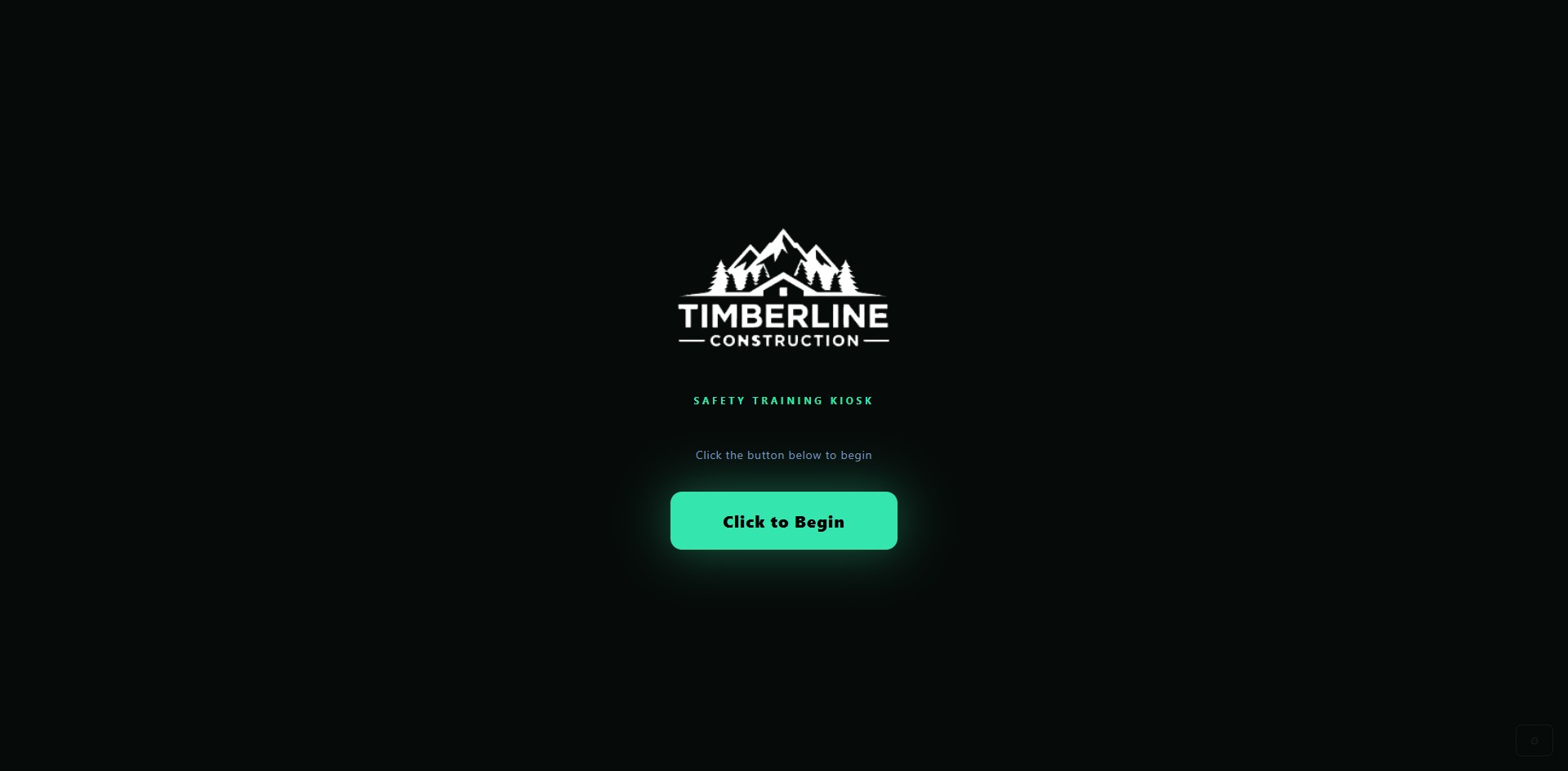
One incident record. Everything about it.
Recordable, First Aid, or Near Miss: every incident is classified at the point of entry, then documented completely. A body map for where it happened, witness statements, PPE worn, prevention notes, and a status that moves from draft through closed all live on the same record, with the date, location, category, and narrative detail an OSHA 300 log or an internal safety review actually asks for.
What a full accident report actually holds
A near miss on a warehouse floor, a laceration on a production line, a slip at a field site: each gets logged with its type, its category (struck-by, caught-in, chemical exposure, ergonomic strain), where it happened, and what happened. From there the report goes further than a classification. Injuries get marked on a front-and-back body map instead of described in a paragraph, witness statements and PPE worn get attached, prevention notes capture what should change, and the report itself moves through a status (draft, submitted, under review, closed) so nobody has to ask where it stands.
A rolling safety-rating breakdown sits at the top of every profile, on every tab, not buried three clicks deep. Medical specifics, like body part affected, treatment given, and restrictions imposed, stay attached to the incident record but out of list views, dashboards, and exports that don't carry the access level to see them. A location manager can see that an incident happened and what category it falls under; whether it's OSHA-recordable goes to whoever's actually authorized to make that call.
Plan the hazard, control the work.
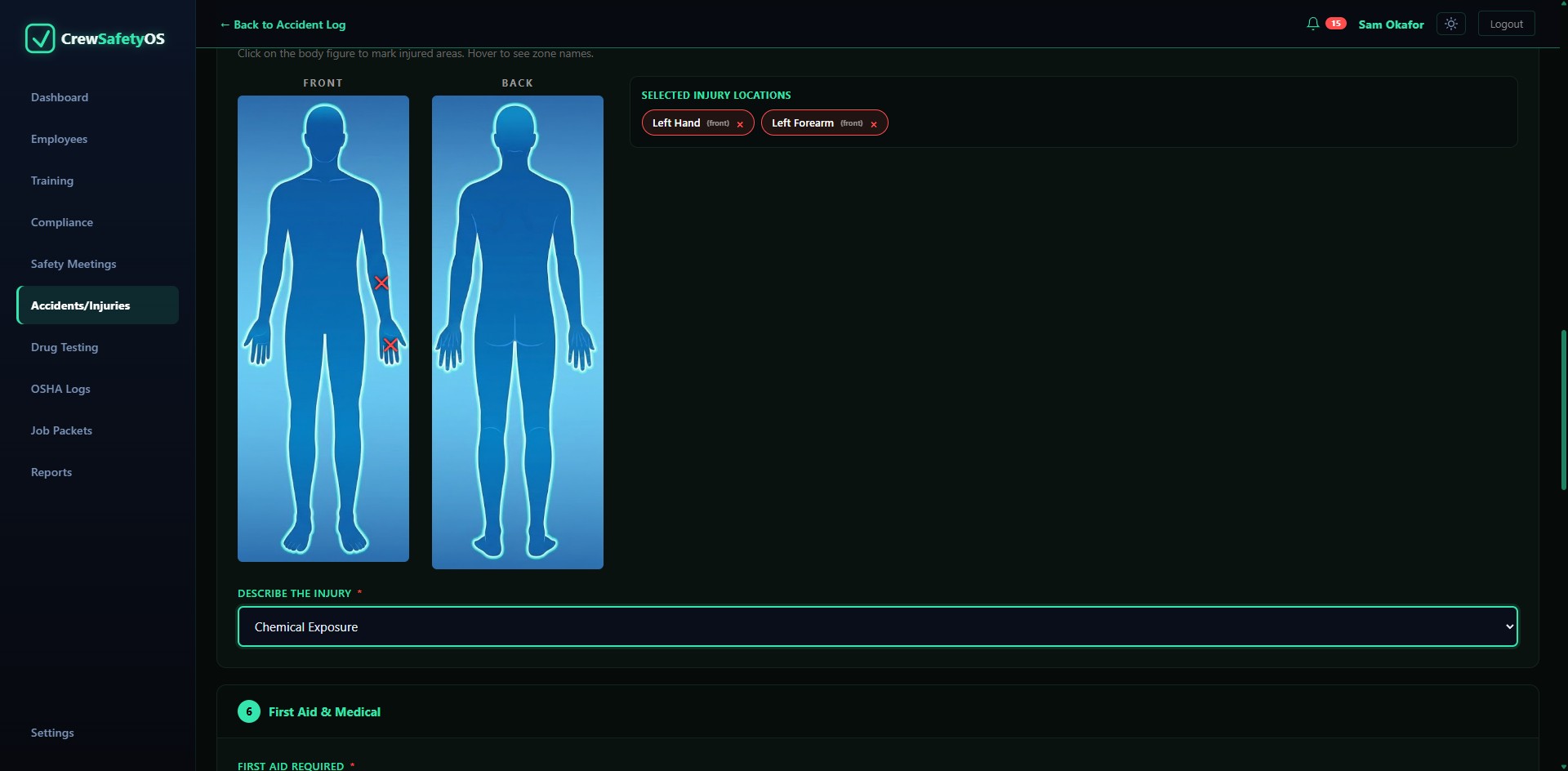
Map the work before the shift starts. Break the job down into steps, identify the hazards, set the hierarchy of controls, and gather crew acknowledgment and supervisor sign-off right on the spot. If the job changes mid-shift, Management-of-Change re-briefing flags anyone who signed the old plan as stale, so nobody works under outdated assumptions. Coming from a general-purpose inspection tool? See how CrewSafety compares to SafetyCulture.
Permits, emergencies, and the final PDF
A JHA in CrewSafety tracks permit prerequisites and emergency-response information right alongside the hazards. When the job is done, or if an auditor asks for proof, a single click generates a clean PDF export of the whole plan and who signed it.
Catch it before it becomes an incident.
When something looks wrong in the field, log a Job Safety Observation (JSO). Classify it as an unsafe act or an unsafe condition, assign a severity, and track the fix through a clear open, in progress, and closed workflow so it doesn't get forgotten.
A vault, not a shared drive.
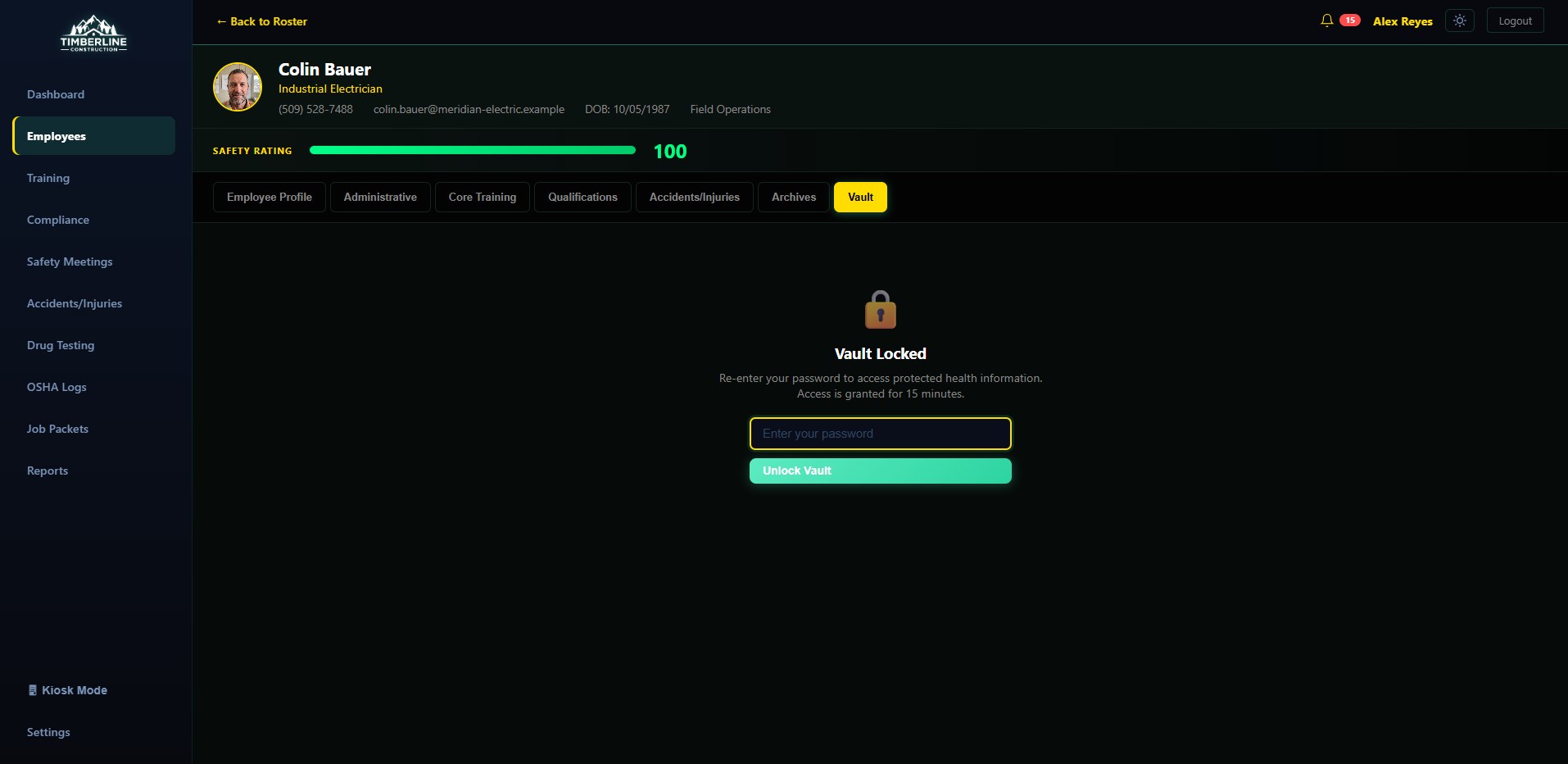
Medical records and drug-screening results are encrypted at rest and scoped to a small, explicit set of roles. Never visible in a general employee list, a dashboard, or an export that wasn't built for that level of access.
How the screening pipeline and access scoping work
Fit-for-duty forms, medical restrictions, and screening results live in a separate, encrypted store, walled off from the rest of a person's file. Viewing any of it requires access explicitly granted for medical and screening data, independent of whatever access someone has to ordinary training records.
Pre-employment screening runs as a pipeline, not a single pass/fail flag: an order goes out, the specimen is collected, the lab reviews it, a Medical Review Officer signs off, and the candidate clears. Each stage is timestamped, so a chain-of-custody question months later has an answer already on record instead of one reconstructed from memory. Random and post-incident screening runs on the same pipeline, with the same audit trail.
Proof for the audit. A warning before the next one.
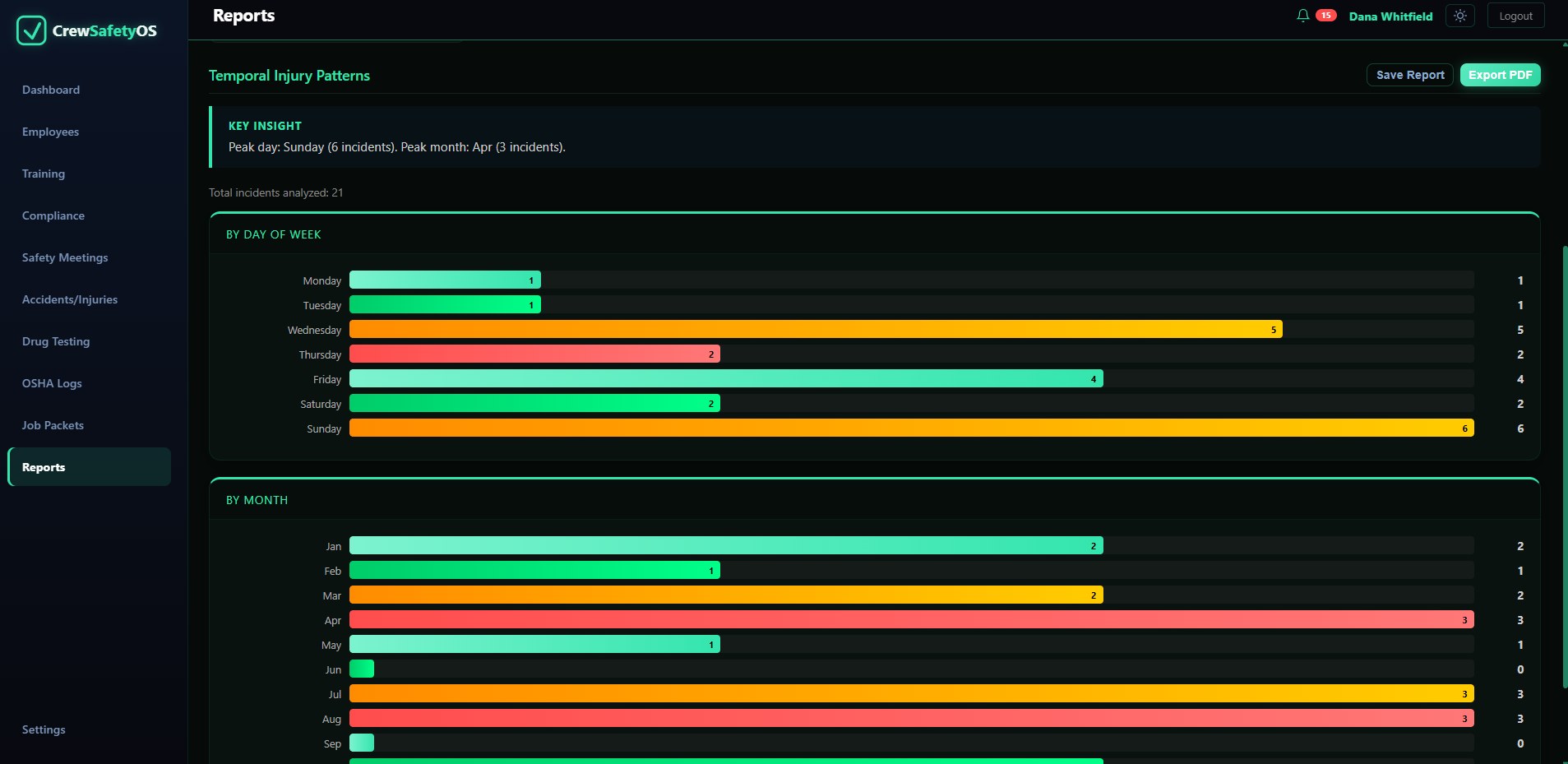
Preparing records for a customer or audit request should not mean a week spent digging through binders. It depends on how the records were kept months earlier, by people who were focused on the work in front of them. The same information that helps you monitor training trends, credential dates, and process gaps can be exported in the scope you need: one person's certification history, one location's incident log for the year, or a company-wide forecast of upcoming lapses. None of it hand-assembled from six different screens.
How export scoping and the forecast work
Every export respects the same access rules as the screens it's pulled from. A report generated by someone without medical-data access comes back without medical data in it, not redacted after the fact by whoever requested it. Certification and training exports line up with how an auditor actually reviews a file: by person, by location, by training type, or by expiration window.
The export training coordinators pull most often is the expiring-certification forecast: everyone whose credentials lapse in the next 30, 60, or 90 days, sorted so renewal gets scheduled before something goes quietly out of date.
It also tells you how compliant you actually are, a real percentage, not a guess, with every gap named: who's missing required training entirely, what's expired, what's expiring soon. Watching that number move month to month is what turns compliance from a scramble every audit into something you stay ahead of the rest of the year. Need something specific? Run a filtered report on the spot, everyone in Colorado with an active AED cert, for example, instead of building it by hand.
Preparing a submission for ISNetworld, Avetta, or Veriforce? Read the compliance guide.
Where all of this actually gets used
The numbers that decide your insurance rate and whether you can bid the job.
Your dashboard leads with what matters day to day: year-to-date recordables, first aid, near misses, and days since the last one, plus the safety metrics your industry and your insurer actually track, benchmarked against your own targets: current, last month, and where you're trending for next month. Whatever numbers your industry runs on, not just the ones most common in construction. The same compliance overview and cert-expiration alerts sit right alongside it, so the safety numbers and the people numbers live on one screen instead of two different systems.
A foreman calls asking for one cert. You're done before you hang up.
Proving a crew is cleared for a job used to mean hours, sometimes days: pulling records from three different places, paper files included, hoping nobody's cert had quietly expired along the way. Now, when a foreman calls asking for proof of one person's training, you pull up the packet, or build one in a few clicks if it doesn't exist yet, and send it before you hang up. Already built one for this job? Pull it up and resend. It's saved, not rebuilt.
For crane and rigging jobs: lift plans live in the same packet
A lift plan isn't a separate tool you have to open somewhere else. Once a job packet exists, add a lift plan to it: capacity, radius, rigging configuration, and the rest of what a pre-lift review actually asks for, attached to the same packet you're already sending the foreman. One place for who's cleared and how the lift itself is planned, not two systems to keep in sync.
Already running an equipment-inspection tool? See how CrewSafety compares to DigiDocs.
Stop typing certificates into a screen.
Upload a stack of scanned certificates, or photograph one from your phone, and CrewSafety reads each page for you: who it belongs to, what the training was, when it was issued, and when it expires. You review what it found, and nothing is saved to an employee record until you approve it.
How it checks its own work, and why it's a beta
Names are matched against your roster, and a name that can't be placed with confidence is flagged instead of guessed at. Anything the reader couldn't find in the document's own text is marked unverified and sent to you, so a wrong answer doesn't slip in quietly.
Document Reader is new, and we're still tuning it on real-world scans. If it misreads a certificate, tell us. That's how it gets better.
Keep your subs to the same standard.
When a subcontractor steps on site, their safety performance becomes your problem. CrewSafety builds a 0-100 scorecard for every sub, tracking deductions for incidents and recovery over time, so you know exactly who you're bringing onto the job.
Hazard history and notice emails
The incident and hazard history for every sub is kept in one place. When you need to flag a problem, send a hazard-summary notice to the sub in a couple of clicks, no formal letter to draft by hand. If a sub's score drops, CrewSafety sends an automatic email alert so it doesn't go unnoticed.
Sign-off takes seconds and a 4-digit PIN.
Build a meeting template once, run it whenever your crew gathers, and every attendee signs off before a paper sheet would even have made it around the room. It's part of the same file as everything else here: who was in the room, and when, on the record.
Everything above, on the free plan too.
None of these modules is reserved for a higher tier. Free means five profiles, not a cut-down product: the same incident logging, the same kiosk, the same scoped exports. What you pay tracks the size of your crew, and finding out whether your crew fits a tier costs nothing. Still weighing this against another system? Compare CrewSafety to the alternatives.